Free tool · no sign-up
YouTube thumbnail preview
Drop in your thumbnail and title and see them inside a realistic YouTube home feed before you publish.
Home feed preview
 16:10
16:10
How to Make Thumbnails That Get Views (NO EXPERIENCE NEEDED)
Vanessa Lau
147K views · 1 year ago
Your title shows here. Does it earn the click?
Your channel
— · just now
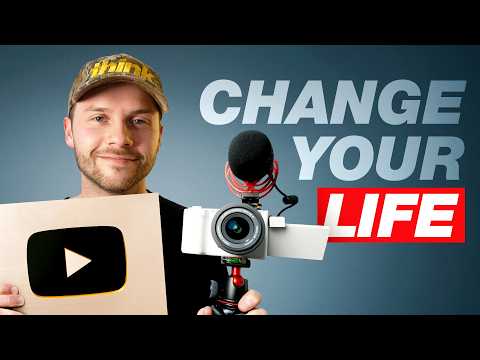 12:20
12:20
If I Started YouTube from Scratch in 2026, I’d Do THIS
Think Media
512K views · 7 months ago
 19:11
19:11
This is how I would grow a YouTube channel from 0 subscribers in 2026
Jade Beason
144K views · 8 months ago
 26:45
26:45
How To Grow From 0 Subs In 2026 (Complete Guide)
Marcus Jones
92K views · 3 months ago
 10:09
10:09
The EXACT system to blow up on YouTube in 2026
George Alexander
26K views · 1 month ago
Everything renders in your browser, and the image never leaves your device.
Nobody sees your thumbnail the way you see it in Photoshop: huge, alone, and full-screen. Viewers see it at a few hundred pixels wide, sandwiched between five other videos fighting for the same click. This preview drops your image and title into a realistic home feed so you can judge it the way viewers will.
The questions to ask at feed size: does the subject read in half a second, does the text survive shrinking, does it look different from the videos around it, and do the thumbnail and title tell one story instead of repeating each other? If any answer is no, fix it before you publish, while it still costs you nothing.
Frequently asked questions
- Why preview a thumbnail in the feed?
- Thumbnails are never seen full-size in isolation. They compete at small sizes next to other videos. Feed context shows whether yours reads at a glance.
- Is my image uploaded anywhere?
- No. The preview renders entirely in your browser; the file never leaves your device.
- What sizes should my thumbnail be?
- 1280×720 (16:9). YouTube requires under 2MB, and JPG/PNG/WebP all work.
This tool lives inside Chewbr
Chewbr does thumbnail scoring against what actually wins in your niche, plus the other 46 jobs between filmed and published.
The full app is the finishing system for YouTubers: every video gets a 47-step checklist from Plan to Promote, with tools like this one built into the step where you need them. It has not launched yet, so join the waitlist and you will be first through the door.